Option 1: SSL (Port 465)
1
Access Mail Settings
- Log in to your WHMCS admin panel
- Navigate to Configuration > System Settings > General Settings
- Click the Mail tab
2
Configure SMTP
Enter the following details:
- Mail Type: SMTP
- SMTP Host:
relay.jetsmtp.net - SMTP Port:
465 - SMTP SSL Type: SSL
- SMTP Username: Your JetEmail SMTP username
- SMTP Password: Your JetEmail SMTP password
3
Save and Test
Save your changes and send a test email to verify the configuration.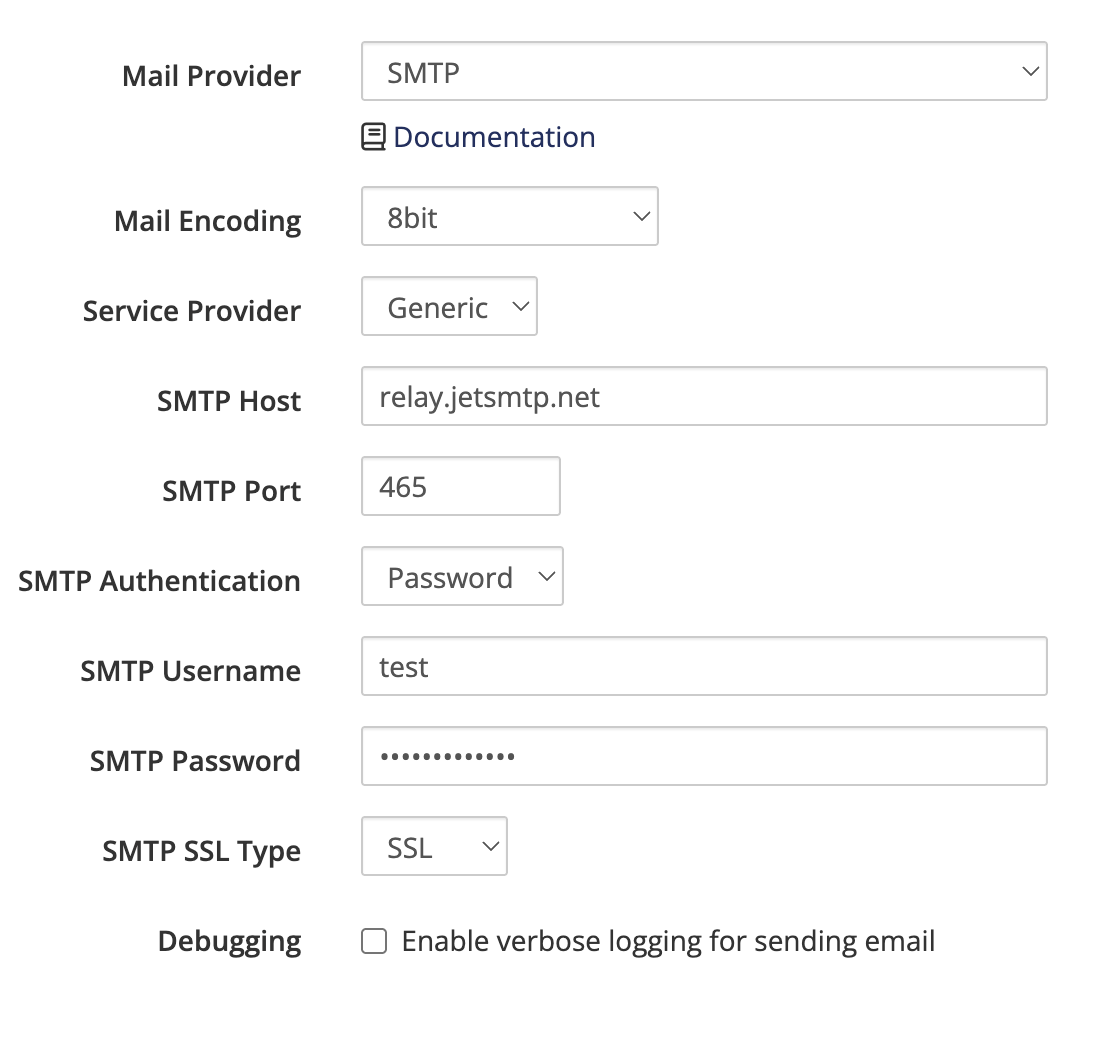
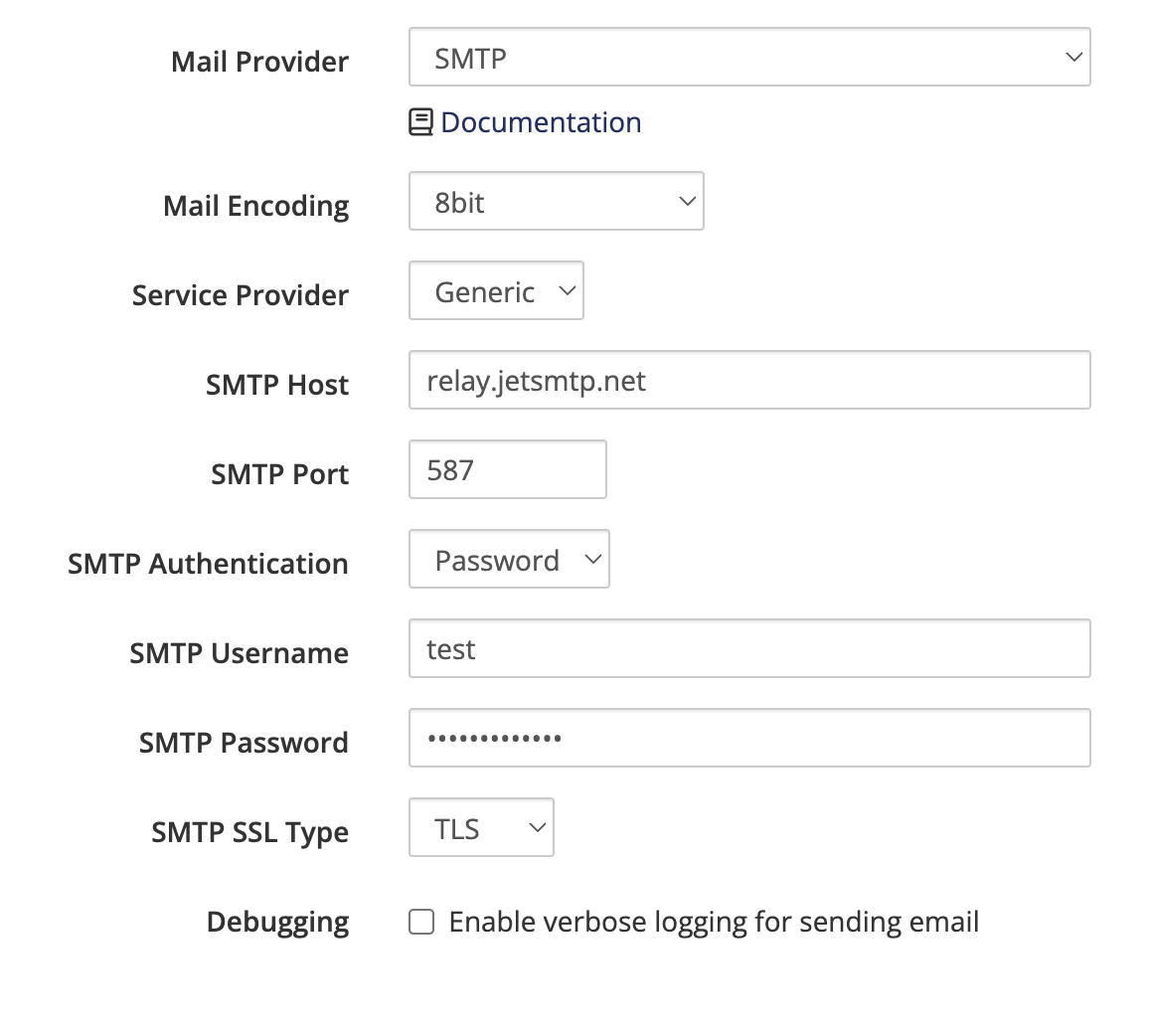
Option 2: TLS (Port 587)
1
Access Mail Settings
- Log in to your WHMCS admin panel
- Navigate to Configuration > System Settings > General Settings
- Click the Mail tab
2
Configure SMTP
Enter the following details:
- Mail Type: SMTP
- SMTP Host:
relay.jetsmtp.net - SMTP Port:
587 - SMTP SSL Type: TLS
- SMTP Username: Your JetEmail SMTP username
- SMTP Password: Your JetEmail SMTP password
3
Save and Test
Save your changes and send a test email to verify the configuration.